

BeOnBet Login – Sign In to Your Casino Account
Sign in to your BeOnBet Casino Login account in seconds and reach the full casino and sportsbook from one dashboard. Our step-by-step process covers first-time sign-in, password recovery, and two-factor protection for every player in the UK. Verification follows standard KYC rules, using a valid ID and proof of address before your first withdrawal. Support runs on 24/7 live chat, email, and a help centre, so login issues get resolved fast. Players must be 18 or older to register and play responsibly.

We built BeOnBet Casino to make account access fast and secure for every player in the UK. This BeOnBet Casino Login walkthrough covers every step, from your first sign-in to password recovery and two-factor checks. One login opens both the casino games and the sportsbook, so you switch between slots and bets instantly. We protect every session with encryption and identity checks to keep your account and your funds safe.
How to Log In to BeOnBet
Logging in to BeOnBet takes less than a minute once your account is verified and ready. The BeOnBet Login process works the same way on the website and the mobile app, so the steps never change. You need your registered email or username plus your password to reach the account dashboard. From there, one login opens both the casino lobby and the sportsbook without a second sign-in.
- Open BeOnBet: Open the BeOnBet website in your browser or launch the app on your device. Make sure you are using the official platform before you continue.
- Click Login: Select the Login button, usually shown at the top of the homepage or app screen. This opens the sign-in form where you enter your details.
- Enter Your Details: Type your registered email or username along with your password into the form. Double-check both fields before you submit them.
- Complete Security Check: Finish any extra verification, such as a one-time code or captcha, if the system asks for it. This step confirms that the login attempt is genuinely yours.
- Access Your Account: Once verified, you land directly on your account dashboard. From there you can open the Be On Bet slot games, live tables or the sportsbook straight away.
Players usually complete the whole process in under a minute on a stable connection. If a page fails to load, refresh the browser or close and reopen the app before trying again. Saved passwords in your browser can speed up future visits without weakening account security. We recommend logging out on shared devices to keep your casino and sportsbook access private.
BeOnBet Login Requirements
Signing in only requires a short checklist, and we keep it simple by design. You need a registered email address or username, the password set during registration, and a stable internet connection. Players must also meet a minimum age requirement, in line with UK gambling regulations. Our table below sums up exactly what you need before attempting to log in.
| Requirement | Details |
| Registered account | Valid BeOnBet account created during sign-up |
| Email or username | Used to identify your account at login |
| Password | Case-sensitive, set during registration |
| Age | 18 years or older |
| Device and connection | Cookies enabled and a stable internet connection |
| Verification status | Full KYC required before withdrawals |
Meeting these requirements keeps your account secure and ready for instant access at any time. Missing or outdated details are the most common reason a login attempt fails, so keep your password and registered email current. A stalled Beon Bet Login almost always traces back to one of these details. The next sections walk through exactly what to check when that happens.
BeOnBet Forgot Password and Password Reset
Forgetting your password does not lock you out of BeOnBet permanently. The reset process takes only a few minutes and works directly from the login screen. You need access to the email address linked to your account to receive the reset link. Once you set a new password, you can sign back in with your updated details.
- Click “Forgot Password?”: Select this link directly on the login screen, below the password field. It opens a short form for account recovery.
- Enter Your Registered Email: Type the email address you used when you created your account. BeOnBet sends the reset link to this address only.
- Open the Reset Link: Check your inbox, including the spam folder, for the message from BeOnBet. Click the link within the stated time limit to continue.
- Create a New Secure Password: Choose a password that combines letters, numbers, and symbols. Avoid reusing passwords from other accounts or sites.
- Log In With Your New Details: Return to the login screen and enter your username with the new password. Your account and balance remain unchanged after the reset.
Reset emails typically arrive within a couple of minutes of the request. If nothing appears, check that you entered the correct email and look again after refreshing your inbox. Repeated failed reset attempts may temporarily pause the process for security reasons. If the link expires or never arrives, our support team can send a fresh one.
Can’t Log In to BeOnBet — Troubleshooting
Even a well-known platform like BeOnBet can throw up login errors from time to time. Most issues come down to a wrong password, an unstable connection, or an unverified account. We built the table below after tracking the most common Beon Bet Login problems reported by players. Each row matches an issue with a direct solution you can try immediately.
| Problem | Solution |
| Incorrect password | Use the reset link to create a new password |
| Account not verified | Complete KYC and confirm your email address |
| Page not loading | Refresh the browser or clear the app cache |
| Too many failed attempts | Wait a few minutes before trying again or contact support |
| Browser blocking cookies | Enable cookies and disable strict privacy extensions |
| Account locked | Contact support to confirm your identity and regain access |
Clearing your browser cache or updating the app often resolves technical login errors. A weak or unstable connection can also interrupt the process before it finishes. If none of these steps work, our support team can check your account status directly. Persistent errors are usually linked to account verification rather than a forgotten password.
BeOnBet Account Locked or Suspended
A locked or suspended account stops you from logging in until the issue is resolved. We apply these limits to protect players and comply with UK gambling rules. Several situations can trigger a lock, from repeated failed logins to a breach of the terms and conditions. Knowing the cause helps you resolve it through the right support channel.
- Failed Login Attempts: Multiple incorrect password entries in a short time trigger a temporary lock. This protects your account from unauthorised access attempts.
- Unverified Account: Accounts that skip identity verification may be restricted after a set period. Full KYC confirmation removes this restriction.
- Self-Exclusion: Players who activate self-exclusion cannot log in for the agreed period. This setting cannot be reversed early once confirmed.
- Terms and Conditions Breach: Violating the platform rules, such as using multiple accounts, can suspend access. Support reviews these cases individually before restoring the account.
Locks linked to failed logins usually clear automatically after a short waiting period. Suspensions tied to verification or account breaches need direct contact with support to resolve. Self-exclusion periods run for a fixed length of time and cannot be shortened on request. Keeping your login details private is the simplest way to avoid an accidental lockout.
BeOnBet Login on Mobile and App
Mobile play never requires a separate account, since the same BeOnBet Casino Login opens both platforms. Our site adjusts automatically to phone and tablet screens without losing any features. Users of the BeonBet mobile app sign in with the same login details as the website. Both versions include the same casino games and sportsbook markets once you are in.
| Platform | Access |
| Mobile browser | No download needed, works via Chrome or Safari |
| BeOnBet app | Available for supported devices, faster load times |
| Login method | Same email or username and password as desktop |
Switching between devices does not affect your account balance or game history. Login sessions stay separate on each device, so signing out of one does not affect the others. A stable mobile connection helps avoid interruptions during live betting or slot sessions. We recommend keeping the app updated for the latest security features.
Account Verification at BeOnBet (KYC)
Identity verification keeps every account secure and compliant with licensing rules. This process, known as KYC, confirms that the person logging in matches the account holder. We ask for a few standard documents to complete this step. Completed checks stay on file, so you rarely need to repeat them.
- Why Verification Is Required: BeOnBet confirms your identity to prevent fraud and comply with gambling regulations. This protects both your account and your funds.
- Accepted Documents: A valid ID document and proof of address are the standard requirements. Both must be current and clearly legible when submitted.
- When You Need It: Verification is typically requested before your first withdrawal from the account. Some accounts may be asked to verify earlier during routine checks.
- What Happens After Submission: Support reviews your documents and updates your account status once approved. You can continue logging in and playing while the review is in progress.
Keeping your documents up to date avoids delays when you request a withdrawal. Submitting clear, valid copies the first time speeds up the review process. Verification status appears in your account settings once our support team completes the check. This step keeps your identity and funds protected at every login.
BeOnBet Login Security and Two-Factor Authentication
Account security starts with a strong password and stays effective with a few consistent habits. We support extra login protection to reduce the risk of unauthorised access. Two-factor authentication adds a second confirmation step beyond your password alone. Stick to these habits and your casino and sportsbook balance stays secure at every sign-in.
- Use a Strong Password: Combine letters, numbers, and symbols to make your password harder to guess. Avoid reusing the same password across other accounts or sites.
- Enable Two-Factor Authentication: Turn on this extra layer in your account security settings. It blocks most unauthorised login attempts even if your password leaks.
- Never Share Your Login Details: Keep your password and verification codes private at all times. BeOnBet support never asks for your password directly.
- Log Out on Shared Devices: Always sign out after using a public or shared computer. This prevents the next user from accessing your account.
- Watch for Phishing Attempts: Be cautious of messages asking you to confirm login details through unfamiliar links. Only enter your credentials on the official BeOnBet platform.
These habits take only a few seconds to apply but significantly reduce your risk of losing access. Two-factor authentication remains the single most effective protection against account takeover. Update your password periodically, especially after using a new or shared device. Report anything suspicious to our support team so we can secure your account immediately.
No BeOnBet Account Yet? Register in Minutes
Setting up a BeOnBet account only takes a few minutes before your first sign-in. The process covers your personal details, email confirmation, and an initial deposit if you want to claim a welcome offer. Once registered, your BeOnBet Casino Login works across both the casino and the sportsbook. New players can start browsing games as soon as their account is confirmed.
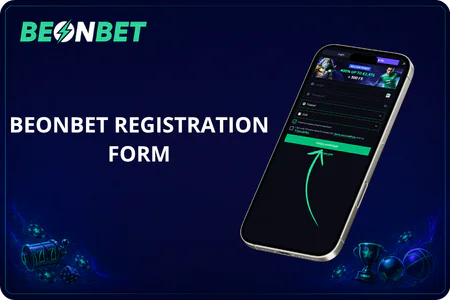
- Click Register: Select the Register or Sign Up option on the BeOnBet homepage or app. This opens the account creation form.
- Fill In Your Details: Enter your personal information, including your email, name, and a secure password. Double-check every field before submitting the form.
- Verify Your Email: Open the confirmation message BeOnBet sends to your inbox after registration. Confirming your email activates full access to your account.
- Make a Deposit and Claim Your Bonus: Add funds to your new account using one of the available payment methods. Claim the Beon Bet welcome bonus during this step if you want to use it.
- Log In and Start Playing: Return to the login screen and sign in with your new email and password. Your casino games and sportsbook markets are ready as soon as you sign in.
Registration and your first BeOnBet login use the same simple process across every device. New accounts gain immediate access to the full casino library and sportsbook once verified. Keep your login details safe from the very first sign-in to avoid future account issues. We recommend saving your password securely so future access stays quick and reliable.
Help with BeOnBet Login Issues
Unresolved Beon Bet Login problems do not have to stop your session for long. We offer 24/7 live chat support along with email and a dedicated help centre. Each channel connects you with a team that can check your account status directly. Pick whichever option suits your situation for the fastest resolution.
- 24/7 Live Chat: Reach the support team directly from the website or app at any time of day. This channel gives the fastest response for urgent login issues.
- Email Support: Send a detailed message if your issue needs document attachments or a longer explanation. Replies usually follow within the standard support window.
- Help Centre: Browse existing articles covering common login and account questions before contacting the team directly. Many issues get resolved without needing to wait for a reply.
Login issues typically get resolved within a single support conversation. Keep your account details and any error messages ready before you contact the team. Our support team can confirm your verification status and walk you through any extra security steps. This keeps your account access restored quickly and safely.
Access Your BeOnBet Account Anytime
Sign-in stays simple, secure, and available whenever you want to play. Every account is protected under our Curaçao Gaming Authority licence, with clear verification and support standards throughout. Whether you play casino games or place a sportsbook bet, one login covers your full account. Gambling is for players aged 18 and over, and we support responsible play at every stage.
FAQ
Go to the BeOnBet website or app and select Login. Enter your registered email or username along with your password, then complete any extra security check if asked. Once verified, you reach your account dashboard immediately. The same login works for both the casino and the sportsbook.
Select Forgot Password on the login screen and enter the email linked to your account. Open the reset link BeOnBet sends to your inbox and create a new secure password. Return to the login screen and sign in with your updated details. Your account balance and history stay unchanged after the reset.
Most login failures come from an incorrect password, an unverified account, or a weak internet connection. Check your details carefully and try the password reset option if needed. Clearing your browser cache or updating the app often resolves technical errors too. Contact support if the problem continues after these steps.
Accounts get locked after repeated failed login attempts, missing verification, self-exclusion, or a breach of the terms and conditions. Locks tied to failed attempts usually clear on their own after a short wait. Other cases need direct contact with support to confirm your identity. Self-exclusion periods cannot be shortened once activated.
BeOnBet works through mobile browsers and a dedicated app, using the same login details as the desktop site. No separate account or password is needed for mobile access. The mobile experience includes the same casino games and sportsbook markets. A stable connection helps avoid interruptions during live sessions.