
Beonbet App: Casino Gaming On the Go
The BeonBet app is a home screen shortcut rather than a file to install, so Android and iOS players start from the mobile browser. You get the full lobby with more than 3,000 slots from over 30 studios, 13 game tabs, live tables and the same bonuses as on desktop, including 100% up to £500 with 100 free spins. Deposits run through the header button from £20, and monthly withdrawal limits grow from £1,000 to £10,000 with your VIP level.
Our casino runs straight in the browser of a phone or tablet, with nothing to install before you play. The BeonBet app that many players look for is in fact a home screen shortcut to the mobile site, which opens the full lobby in one tap.
| Mobile access | Detail |
| Supported systems | Android and iOS |
| File to download | None, the casino opens in a browser |
| App Store and Google Play | No listing in either store |
| Storage space | Only the browser cache |
| Age limit | 18+ |
A shortcut behaves like an application icon: it sits on the home screen and opens the lobby in one tap. Your balance, bonuses and game history stay tied to the account, not to the device you use.
Is There a BeonBet Casino App?
There is no separate application to download from our site. Mobile play runs through the browser version, so any BeonBet Casino app offered on a third-party site is not ours.
| Question | Answer |
| Native application | Not published for download |
| Mobile site | Adapts to phone and tablet screens |
| Home screen icon | Added from the browser menu in a few taps |
| Game catalogue | The same as on desktop |
| Account | One login for every device |
| APK files | Not published by us |
An installation file that claims to be ours puts both your device and your account at risk. Use the browser and the icon you create yourself, and check any link with our team if you are not sure about it.
How to Download the BeonBet App
Nothing has to be downloaded, so setting up mobile access takes about a minute. The steps below start with Android phones and tablets.
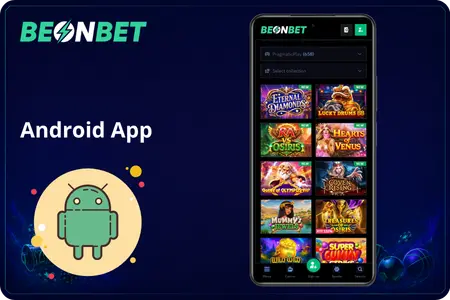
- Open our site in Chrome and sign in to your account.
- Wait for the lobby to load, so the browser sees the casino page and not a search result.
- Tap the three-dot menu in the top right corner of the browser.
- Choose Add to Home screen or Install app.
- Confirm the name of the icon and tap Add.
- Pick the screen where the icon should sit, or drop it into a folder with your other games.
- Start the casino from the new icon on your home screen.
- Sign in once inside the icon, and Chrome keeps the session for the next visit.
Apple devices follow a different route, because Safari keeps this option in its share menu rather than in a browser menu. The steps end with the same result, an icon that opens the lobby directly. Nothing is installed from the App Store along the way, so the icon appears within seconds of the last tap.
- Open our site in Safari and sign in to your account.
- Check that you are in a normal tab, because the option is hidden in private browsing.
- Tap the share icon at the bottom of the screen.
- Scroll down the menu and choose Add to Home Screen.
- Edit the name if you want, then tap Add.
- Find the icon on the last home screen page, where iOS places new shortcuts.
- Launch the casino from the icon on your home screen.
- Keep the icon and the Safari tab apart, since the icon opens its own window.
Both routes use the same account, so your funds and active offers are waiting after you sign in. A BeonBet app download offered anywhere outside our site is unofficial, and our support team can check any link before you open it.
BeonBet App Download for Android
Android players install nothing from an APK file, because we publish no installation file at all. Chrome turns the site into a home screen icon, and that icon then works like any other application shortcut.
- Browser choice: Chrome, Edge and Samsung Internet all support Add to Home screen.
- Unknown sources: No permission for unknown sources is needed, since there is no file to install.
- Storage: The icon uses almost no space, as the games load from the web.
- Updates: The site updates itself, so the icon always opens the current version.
- Permissions: Access to contacts, photos and files is never requested.
- Data use: Game graphics load once and stay in the cache for the next session.
- Removal: Press and hold the icon to delete it, and your account stays untouched.
If the option does not appear, update Chrome and open the casino page again, since older builds hide the menu entry. Search results that promise a BeonBet app download for Android lead to files from other sites, which we do not support or check. Installing one of them can cost you the account, because a copied login screen sends your details straight to the people behind the file.
BeonBet App Download for iOS
Apple users will not find us in the App Store, so an iPhone or iPad runs the casino through Safari. The share menu turns the site into a home screen icon with the same effect.
- Safari: Add to Home Screen works on both iPhone and iPad.
- Chrome on iOS: The option sits in the share menu there as well.
- Apple ID: Nothing is installed from the store, so no Apple ID is involved.
- iPad: The same steps apply, and the lobby uses the wider screen.
- Removal: Press and hold the icon and choose Remove Bookmark.
- Icon window: The shortcut opens in its own window, separate from your Safari tabs.
- Full screen: Games fill the display, because the address bar stays hidden.
- Folders: The icon can be dragged into a folder with your other gaming apps.
- Screen lock: Face ID or a passcode protects the account as long as you lock the phone.
Sign in once from the icon and Safari keeps the session until you sign out. An iPhone needs no BeonBet app download at all, which also means there is no waiting for store approval after an update.
System Requirements
Requirements come down to a current browser and a stable connection, since no software is installed. Any phone that runs an updated browser opens our lobby. No minimum processor or memory is listed, because nothing is installed on the device.
| Requirement | Detail |
| Android | A version that still receives Chrome updates |
| iOS | A version that still receives Safari updates |
| Browsers | Chrome, Safari, Edge or Samsung Internet |
| Connection | Stable mobile data or Wi-Fi |
| Free space | Enough for the browser cache |
| Screen | Portrait and sideways view both supported |
Older phones can load games with heavy animation more slowly. Closing other tabs frees memory and keeps the reels responsive during a long session. A weak signal affects loading times rather than the result of a spin.
Installing and Setting Up the App
Setup ends with a single sign-in: open the icon, log in and the lobby is ready. New players register first, which takes a couple of minutes.
- Registration: Tap Sign up in the top right corner and complete the form.
- Login: Existing players tap Sign in and complete the Beon Bet login with their details
- Currency: Set your account currency during registration.
- Language: The language switch sits at the bottom of the left menu.
- First deposit: Tap the green Deposit button in the header to fund the account.
- Bonus choice: Pick your Be On Bet bonus in the Choose your bonus field before you confirm the payment
- Favourites: Save games to the Favorite tab for one-tap access later.
- Documents: Keep your ID ready for the checks described in our AML-KYC Policy.
- Profile: Open the player icon in the header to check your account details and VIP progress.
- Telegram: Subscribe to our channel from the Promotions page for the offers posted there daily.
Settings follow the account rather than the device, so the same VIP level and offers appear when you open the casino on a laptop. Nothing has to be set up twice.
Features of the BeonBet App
Everything on the site is on mobile for players in the UK: games, bonuses, payments, loyalty and support. The table shows the parts you will reach most often from the home screen icon.
| Feature | What you get on mobile |
| Game lobby | 13 tabs, from Slots and Live Casino to Jackpot and Bonus Buy |
| Search and filters | Search bar with provider and collection filters |
| Bonuses | Promotions page with casino, sports and cashback offers |
| Payments | Deposit button in the header on every page |
| Loyalty | VIP Levels, Achievements, Tournaments and Shop |
| Support | Live Chat and email |
| Extras | Wheel of Fortune, Lucky Boxes and Bonus map |
Sports betting and Predictions sit in the same account as the casino, so a BeonBet app shortcut opens both sections from one icon. The Casino and Sports tiles at the top of the menu switch between them.
Games Available in the BeonBet App
The mobile lobby holds the same catalogue as the desktop version, with nothing cut for small screens. Every tab and filter works the same way on a phone screen.
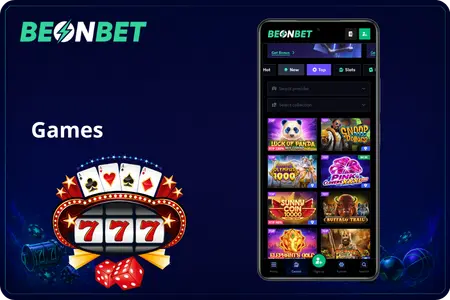
- Slots: More than 3,000 Be On Bet slots come from over 30 studios, from Pragmatic Play to Hacksaw.
- New Games: 654 recent releases sit in their own section.
- Top Games: A shortlist of 72 popular titles opens from the home page.
- Live Casino: Live dealer tables stream in the Live Casino tab.
- Table Games: The Table Games tab groups the non-slot titles.
- Jackpot: A separate tab collects games with a prize pool.
- Bonus Buy: Slots with a paid entry to the feature round have their own tab.
- Instant Games: Quick-round titles sit next to the Jackpot tab.
- Favourites: The Favorite tab keeps your saved games together.
Slots run in portrait and in sideways view, so a wide Megaways grid stays readable when you turn the phone. No part of the BeonBet Casino app lobby is desktop only.
Making Deposits and Withdrawals in the App
Payments for players in the UK run through the same cashier as on desktop, opened with the green Deposit button in the header. Card payments are handled by Visa and Mastercard, which are listed in our site footer, and balances are kept in GBP. Payouts are requested from the same account section.
| Payment point | Detail |
| Cashier | Deposit button next to your balance in the header |
| Cards | Visa and Mastercard |
| Bonus selection | Choose your bonus field inside the deposit form |
| Minimum for the welcome bonus | £20 |
| Monthly withdrawal limit | From £1,000 at VIP Level 1 to £10,000 at Level 5 |
| Maximum bet while wagering | £5 |
Your balance updates at the top of the screen, and bonus funds are credited automatically when an offer is active. Plan payouts around your level limit, because the counter resets monthly. Bonus rules also stay the same as on desktop, including the wagering that comes before a payout.
App vs Mobile Browser Version
The icon and a browser tab open the same site, and the difference is in how you get there. One tap from the home screen replaces typing the address and finding the login.
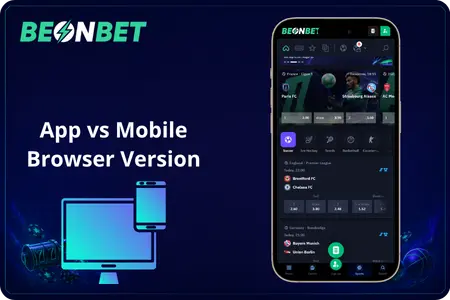
- Enhanced Speed & Performance: The mobile app stores key graphical assets locally on your device, allowing games, lobbies, and graphics to load much faster than through a mobile browser while consuming less data.
- Superior Convenience: Enjoy one-tap access directly from your home screen with smooth UI navigation, optimized touch controls, and seamless biometric logins (Touch ID / Face ID) without typing your address or login details every time.
- Instant Push Notifications: Stay up to date with real-time notifications about exclusive bonuses, tailored promotional offers, tournament updates, and account activity directly on your screen.
- Uninterrupted Gameplay: The app provides higher stability during active gameplay, reducing input lag and keeping your sessions active even when switching between background tasks.
Neither version changes the games, the payouts or your account, and both work the same way for players in the UK. British players who open the casino daily usually keep the icon on the home screen, while occasional visitors stay with the browser tab.
Is the BeonBet App Safe to Use?
With nothing installed, the safety question is where you type your login details. A fake BeonBet app from a link in a message can copy those details, while our address keeps them inside a licensed casino.
| Safety point | Detail |
| Licence | Curaçao Gaming Authority, OGL/2024/112/0974 |
| Operator | Fortuna Games N.V., registered in Willemstad, Curaçao |
| Certificate | CGA badge in the footer, linked to cert.cga.cw |
| Player checks | AML-KYC Policy published in the footer |
| Installation files | None published, so any file claiming to be ours is fake |
| Shared phones | Sign out at the end of a session |
Add the icon yourself from the browser instead of following a link you were sent. If a page asks for your password a second time or looks different from the lobby, close it and open the casino from your own icon.
Troubleshooting Common App Issues
Most mobile problems come from the browser rather than from the games. Try the steps below before you write to us, since they solve most cases.
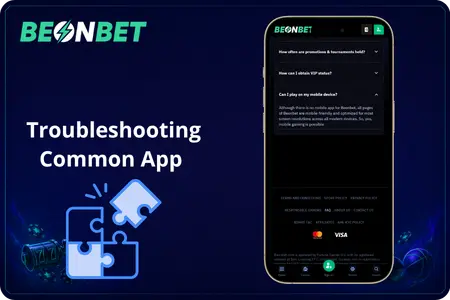
- Game will not load: Reload the page and let the graphics download again.
- An old version appears: Clear the browser cache and open the site again.
- The icon opens the wrong page: Delete it and add it again from the lobby.
- Add to Home screen is missing: Update the browser to its current version.
- The session drops: Check the connection and sign in again.
- A game freezes mid-spin: Close other tabs and reopen the game, as the round is stored on our side.
- The bonus is missing: Contact us before placing any bets, as the bonus rules require.
- A payment is not shown: Note the time and the amount before you report it.
If the problem stays after these steps, our team answers through Live Chat in the menu and by email. Give the device, the browser and the name of the game, and the check takes less time.
Pros and Cons of the BeonBet App
Playing from a phone has clear benefits and a few limits, and both are worth knowing before you add our icon to the home screen. The table weighs five points on each side, from installation and notifications to the size of the screen.
| Pros | Cons |
| Nothing to install or update | No native application in the App Store or Google Play |
| Works on Android and iOS alike | No push notifications from a home screen icon |
| Full lobby with every tab and filter | Games need a connection at all times |
| One account for mobile and desktop | Small screens show fewer game tiles at once |
| Welcome bonus and cashback on mobile | No offers reserved for mobile players |
Mobile suits anyone who plays in short sessions between other things, and the BeonBet Casino app icon makes that quicker. For long sessions with several tabs open, a desktop screen is still easier.
Frequently Asked Questions
No, we do not publish an application for download, and there is no listing in the App Store or Google Play. Our casino runs in the mobile browser instead, and you can add it to the home screen in a few taps. Any file offered as our app on another site is not ours.
Open our site in Chrome, tap the three-dot menu and choose Add to Home screen. The icon appears next to your other apps and opens the lobby directly. No APK file and no unknown-sources permission are involved.
There is no App Store listing, so iPhone and iPad users open the casino in Safari. Tap the share icon, scroll down and choose Add to Home Screen to create the icon. The steps also work in Chrome for iOS.
Our casino holds licence OGL/2024/112/0974 from the Curaçao Gaming Authority and is operated by Fortuna Games N.V. Because nothing is installed, the main risk is entering your details on a copied page, so always start from your own icon or our address. Sign out after a session on a shared phone.
The mobile site is the full version, with every game and bonus. A home screen icon only saves you typing the address and finding the login. Both open the same account, so your balance and VIP level stay the same.